
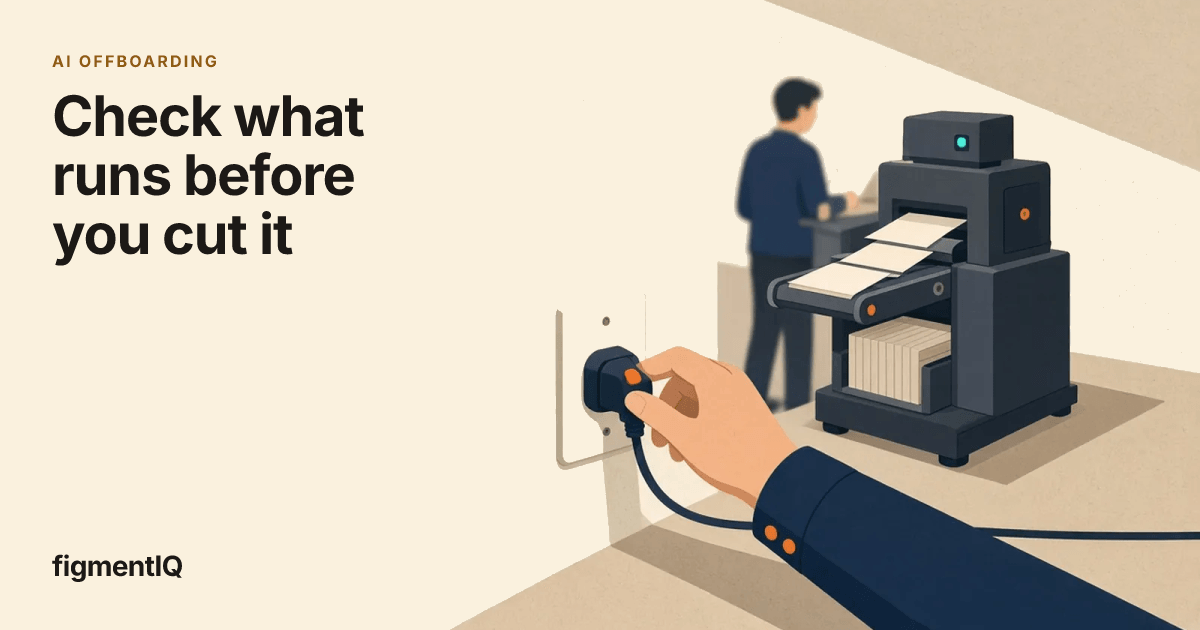
User deprovisioning: find what runs on an account first

Picture a Thursday in January. Finance finishes its annual software true-up and finds 40 AI seats that barely get used. IT revokes them that afternoon. Clean, quick, and the spend report looks better by Friday.
On Monday, the weekly vendor-aging report doesn’t show up in the controller’s inbox. Neither does the summary sales ops reads before pipeline review. Both were automations built by people whose seats were “barely used,” because once you build a good automation, you stop logging in to babysit it.
That’s a hypothetical. The pattern isn’t. Low activity on a seat can mean nobody needs it. It can also mean the work runs fine without anyone watching.
The short version:
- User deprovisioning means removing a person’s access and accounts, when they leave or when a seat gets cut. It’s a security step, and it should stay one.
- A lot of AI work runs as the person who built it. Google Apps Script triggers, Power Automate flows and ChatGPT GPTs all tie back to a user account.
- Cutting the account first and asking questions later turns a routine change into an outage nobody can trace.
- The fix is a short “what runs on this?” check before the cut, with a named new owner for anything that matters.
Prefer to watch?
4-minute video
Plays from YouTube. Playing sets YouTube cookies.
What is user deprovisioning?
User deprovisioning is the process of removing a user’s access: disabling accounts, revoking credentials and licenses, and taking the person out of the systems they could reach. It happens when someone leaves, changes roles, or when the company trims its tools.
The security catalog a lot of policies borrow from, NIST SP 800-53, covers this in its personnel termination control (PS-4). When employment ends, it says to disable system access within a set time, revoke credentials, hold an exit interview, retrieve company property, and “retain access to organizational information and systems formerly controlled by terminated individual.”
That last item is the one this post is about. Most offboarding processes handle the first four well. The fifth quietly assumes you know what the person controlled. With AI work, you often don’t.
Why AI work breaks when the account goes
Older automation tended to live on a server, under a service account, with someone in IT who knew it existed. Much of today’s automation lives under a person’s own login, because that’s how the tools make it easy to build. Here’s what the vendors’ own documentation says:
| Tool | What the vendor says | What it means when you deprovision |
|---|---|---|
| Google Apps Script | Installable triggers “always run under the account of the person who created them.” | Disable that account and the trigger loses the identity it runs as. |
| Power Automate | A flow with no valid owner is “orphaned,” and these flows “can fail if they use connections tied to that user account.” | Admins can assign a new owner, but only if someone goes looking. |
| ChatGPT workspaces | When a member is removed, their projects and GPTs are reassigned to a workspace owner. Conversations and files they created are not transferred and aren’t visible to that owner. | The GPT survives. The context around it may not. |
Credit where it’s due: Microsoft and OpenAI both built a path for this. OpenAI’s reassignment happens automatically, and Microsoft documents how admins can find flows with no owner. But handing a GPT to a workspace owner isn’t the same as handing it to someone who knows what it’s for. The workspace owner inherits it the way you inherit a box of cables in the supply closet: technically yours, functionally a mystery.
Low usage is not low value
This is the trap with seat cuts in particular. License reports measure logins and activity. A well-built automation needs neither. It runs on a trigger, sends its report and asks for nothing.
So the seats that look the most wasteful on a usage report can be the ones holding up a weekly process. The best automation is the kind nobody thinks about. That also makes it the worst kind to deprovision blind.
The same goes for departures. The person leaving knows what they built. Their manager usually knows what shows up every Monday. Nobody has connected the two, because until now nobody had to.
Why I care about this one
Deprovisioning is one of the few moments when a company is forced to look at everything one person touched. That makes it the best chance you’ll get to find AI work that depends on a single person, and it’s the moment figmentIQ is built around.
Most of the time, that dependency doesn’t announce itself. It shows up as a missing report, a stalled approval or a customer email that never went out, a week after the access was cut. By then the person who could explain it is gone, and the fix is archaeology.
A pre-cut check: five questions before you revoke
This is the original part, and it’s short on purpose. Run it for each departing person, or each seat on a cut list, ideally a week before the change:
- Does anything run on a schedule or trigger under this account? Scripts, flows, scheduled jobs, connected automations.
- Did this person build any GPTs, projects, agents or automations that other people use?
- Are any connections, API keys or integrations authorized as this person? These are the ones that fail quietly.
- Who would notice first if it stopped? Name a person, not a team.
- Who owns it after the cut, and have they actually run it once? An owner who has never run it is a name, not an owner.
For each item, pick one of three outcomes: move it to a shared or company-owned account, rebuild it with the builder’s help, or retire it on purpose. Then cut access.
Here’s an illustrative example of what the check can turn up. The rows are made up, not a real company:
| Item | Runs as | Who depends on it | Before the cut |
|---|---|---|---|
| Vendor-aging report (Apps Script) | Departing AP analyst | Controller, weekly | Rebuild under a shared finance account; controller runs it once |
| Contract summary GPT | Departing paralegal | Legal team of four | Reassign to the legal ops lead, not the default workspace owner; write a runbook |
| Lead-routing flow (Power Automate) | Sales ops manager on the seat-cut list | Sales reps | Keep the seat or move the connection first |
| Personal test chatbot | Same sales ops manager | Nobody | Retire on purpose |
If an item matters, it gets a short handoff document. Our AI runbook template is a good starting point, and our AI agent inventory guide covers how to find these things before anyone is leaving.
Who does what
The check fails when it’s nobody’s step. A simple split works for most companies:
- HR starts the check at resignation, or when the seat-cut list is drafted. Not on the last day.
- The manager answers the five questions with the builder while the builder is still around.
- IT cuts access on schedule, and doesn’t cut a seat with an open item until it has an owner’s name next to it.
One caveat, and it matters: for involuntary terminations, don’t delay the cut. Security timing wins. Disable access on schedule, then run the check afterward with admin access and the manager. That’s PS-4’s fifth item doing its job: the company keeps access to what the person controlled, even when the person doesn’t. Our employee offboarding checklist has the rest of the steps.
Quick answers
What’s the difference between offboarding and deprovisioning? Offboarding is the whole exit: paperwork, payroll, equipment, the knowledge handoff. Deprovisioning is the access part of it, turning off accounts and credentials. The AI work sits in the gap between the two.
Should we hold off on deprovisioning until we’ve checked? Not for security reasons. For planned departures and seat cuts, run the check before the date. For terminations, cut on time and check afterward with admin access.
Doesn’t automatic reassignment solve this? It keeps the thing from disappearing. It doesn’t tell the new owner what it does, what it connects to, or what “working” looks like. That’s what the runbook and the trial run are for.
The question to ask this week
Take the next three names on your offboarding or seat-cut list and ask their managers one question: “What runs on this account that we’d miss?” If the answers are vague, that’s your starting point. It’s also why we built our HR offboarding approach around AI work, not just logins.
That question is why we started figmentIQ. If you’d like a second set of eyes, I’m happy to help. Our AI Continuity Assessment covers one department over two weeks, and there’s no charge if we find nothing at risk.