
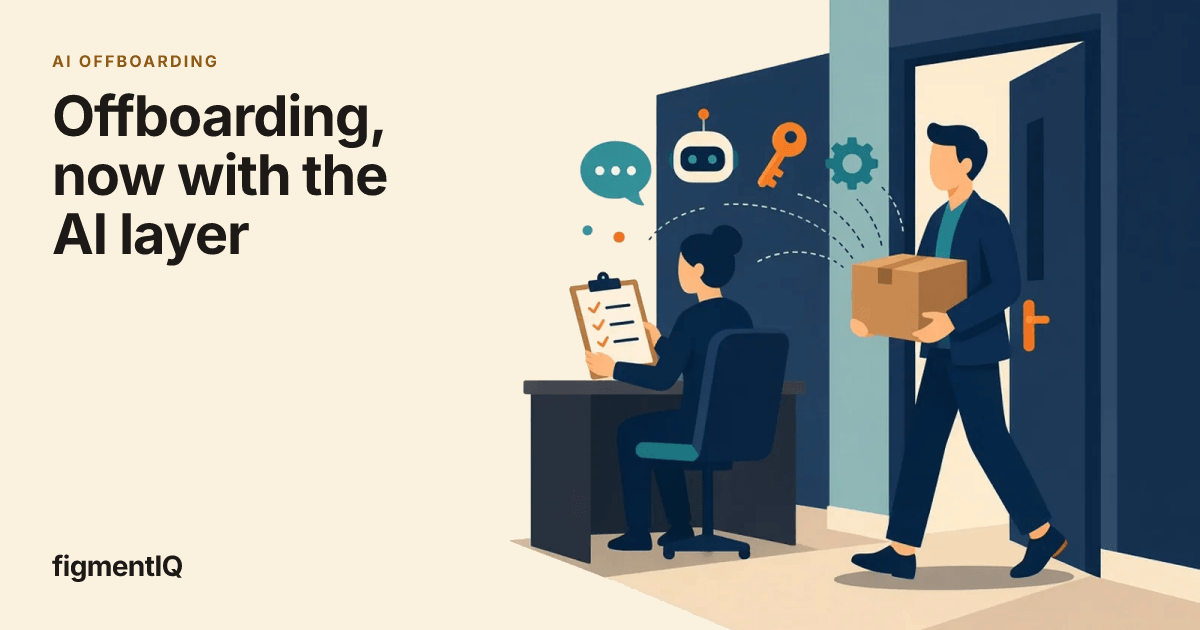
The employee offboarding checklist, updated for AI

Picture a Thursday afternoon. Your best operations analyst gave notice two weeks ago, and today is her last day. HR runs the employee offboarding checklist like a pro: laptop returned, badge deactivated, email forwarded, exit interview done. Every box is checked.
The following Tuesday, the weekly vendor scorecard doesn’t show up. It turns out an AI assistant on her personal ChatGPT account had been drafting it for eight months, fed by a spreadsheet export she ran every Monday and prompts she’d tuned along the way. The checklist never asked, so nobody knew to look.
That’s a hypothetical. I’d bet it’s also the gap in most offboarding checklists right now.
The short version:
- A standard employee offboarding checklist covers paperwork, property, access and knowledge transfer. Keep all of it.
- Add an AI section: which AI tools the person used for work (including personal accounts), what they built in them, what those things connect to, and who owns each one after the last day.
- Start the AI handoff at notice, not on the last day, while the builder is still around to show someone else how it works.
Prefer to watch?
4-minute video
Plays from YouTube. Playing sets YouTube cookies.
Why the old checklist misses AI
Most offboarding checklists were written for a world where work lived in systems the company owned. Collect the laptop, disable the accounts, and the work stays behind. That assumption is quietly breaking.
Microsoft’s 2024 Work Trend Index, a survey of 31,000 knowledge workers in 31 countries, found that 78% of people who use AI at work bring their own AI tools rather than ones their employer provides. The same survey found 52% of them are reluctant to admit using AI for their most important tasks. So the work is happening, a lot of it is on accounts the company doesn’t control, and people aren’t volunteering the details.
Those personal tools are where things get built: an assistant that drafts vendor emails, a prompt that turns call notes into CRM updates. Deactivating the company login doesn’t touch any of it. Your checklist reports a clean exit, and your checklist is wrong.
This isn’t an edge case you hit once a year. The Bureau of Labor Statistics JOLTS report for September 2026 counted 3.4 million quits and 5.3 million total separations in the US in that one month. Every one of those is an offboarding.
Why I care about this one
The pattern I see again and again isn’t bad technology. It’s good technology that only one person understands. When the person who built a company’s AI work leaves, it isn’t really one employee walking out. It’s a little micro department walking out with them. Somewhere on the way to AI, a lot of companies quietly lost years of process documentation, and nobody filed a ticket.
The security world already has a line for this. The federal control catalog many companies borrow from, NIST SP 800-53, lists what to do on termination in control PS-4: disable access, revoke credentials, hold an exit interview, retrieve property, and “retain access to organizational information and systems formerly controlled by terminated individual.” That last item is the whole AI problem in one sentence. You can’t retain access to something you never knew existed.
What should an employee offboarding checklist include now?
Here’s the checklist we’d hand an HR or ops leader. The first part you probably already have. The second part is the AI layer, and it’s the part I’d print out.
The standard part (keep it)
- People and paperwork: documentation of the resignation or termination, final pay and benefits information, and an exit interview.
- Property: laptop, phone, badge, keys and hardware tokens.
- Access: disable company accounts and single sign-on, revoke credentials, and change any shared passwords the person knew.
- Knowledge transfer: open projects, recurring tasks, key contacts and where files live.
The AI part (add it)
At notice
- Ask the inventory question in a conversation, not a form. “What AI tools did you use for work in the last 90 days, on any account, and what did you build or set up in them?” Say plainly that you’re not hunting for policy violations; you’re trying to keep the work running. Given that 52% figure, tone matters.
- List every item. For each one: what it does, who uses the output and how often, whether it lives on a company or personal account, what it connects to (files, apps, other systems, API keys), and where its instructions or prompts live.
- Flag anything with a deadline. Custom GPTs, for example, retire on December 11, 2026, and only the creator (or, in Enterprise workspaces, an admin) can migrate one. If the builder is leaving, that clock just got shorter. We covered the details in our custom GPT retirement post.
- Name a new owner for each item, plus a backup. A person, not “the finance team.”
Before the last day
- Do a live handoff. The builder walks the new owner through it, then the new owner runs it once while the builder watches. This is the step that gets skipped most.
- Move it onto a company account. Rebuild anything on a personal account inside company-controlled tools. Capture the instructions, reference files, and a few sample inputs and outputs. Don’t ask anyone for a personal password; talk to your counsel and IT team about what you can reasonably request.
- Map keys before you revoke them. Find out which automations use API keys or tokens the person created, rotate those keys, and update the automations. Revoking first and asking questions later is how a Tuesday report goes missing.
- Write a one-page runbook per item: what it does, its inputs, where it runs, who owns it, and how to rebuild it. Our Continuity Runbooks page shows what a good handoff covers.
After they’re gone
- Check the outputs at 30 days. Ask the team one question: “What stopped working?” The first report that doesn’t arrive is your audit.
What a filled-in row looks like
This is an illustrative example, not real data.
| Item | What it does | Account | Connects to | Used by | New owner | Backup | Handoff done | Runbook |
|---|---|---|---|---|---|---|---|---|
| Example: Vendor scorecard assistant | Drafts weekly vendor scorecard | Personal | Spreadsheet export, email | Ops team, weekly | [name] | [name] | Not started | Not started |
The spreadsheet itself will need an owner too. Yes, I see the irony.
When the exit isn’t friendly
Everything above assumes a cooperative departure with two weeks of notice. Plenty of exits aren’t that. NIST’s guidance for PS-4 notes that organizations sometimes consider disabling accounts before the person is even told. Sensible security, and it means no walkthrough and no handoff.
So the only reliable fix is having the inventory before anyone leaves: ask each department what AI work it depends on, who built it and whose account it runs on, while everyone is still here and in a good mood. Our Shadow AI Discovery page explains how we approach that without turning it into surveillance.
Quick answers
What should an employee offboarding checklist include? Paperwork, property, access and knowledge transfer, plus an AI section: the AI tools and assistants the person used or built, which account each runs on, what it connects to, and a named new owner for each.
Can we get into a departed employee’s personal ChatGPT or Claude account? Generally, no, and you shouldn’t ask for the password. That’s why the handoff needs to happen during notice: the builder recreates or exports what the company needs onto a company account while they still can. Check with counsel on what you can request.
When should the AI part of offboarding start? At notice. The last day is too late for a live walkthrough, and for involuntary exits there may be no notice period at all, which is the argument for an inventory before anyone leaves.
Who owns the AI section, HR or IT? Both, with different jobs. HR owns asking the question and making sure the answer gets recorded. The manager owns naming the new owner and confirming the handoff. IT owns access, keys and moving things onto company accounts.
Your checklist is only as good as its last question
If your manager quits Friday, does the department still work Monday? A good employee offboarding checklist should be able to answer that. Most can’t yet.
That question is why we started figmentIQ. If you’d like a second set of eyes, I’m happy to help. Our AI Continuity Assessment takes one department and two weeks. We find the AI work that team relies on, including tools on personal accounts, and show you what would break if a key person left. If we find nothing at risk, you don’t pay.
If you’d rather read first, see how we think about AI-aware HR offboarding.