
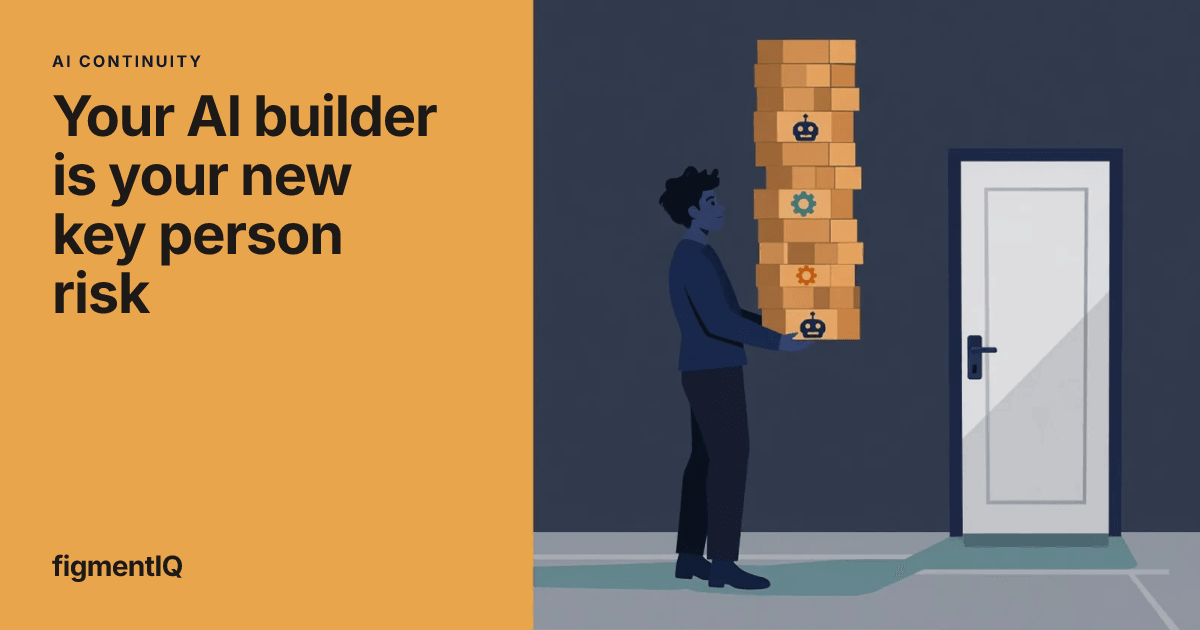
Key person risk now includes whoever built your AI workflows

Picture a Tuesday in March. Your senior operations analyst, the one everyone calls when a report breaks, hands in her notice. Her last day is in two weeks. HR runs the usual offboarding: laptop, badge, email forwarding. Nobody asks about the three automations she built last spring that quietly send the weekly vendor-variance summary, route invoice exceptions to the right approver, and draft first replies to customer escalations. They all run on her login.
On her last day, IT disables her account. On Monday, the summaries stop. By Wednesday, nobody can say why.
That’s a hypothetical. I’d bet a version of it is already scheduled at a company near you.
The short version:
- Key person risk is the exposure you carry when critical knowledge, access or decisions sit with one individual. AI workflows are a new place for that to happen, and most companies aren’t looking there.
- The builder of an AI workflow often holds the only working knowledge of how it runs, plus the login it runs on. When they leave, the work can stop or quietly go wrong.
- You can find these single points of failure in about a week with five questions per workflow. Then name an owner, a backup, and run a test that doesn’t involve the builder.
Prefer to watch?
4-minute video
Plays from YouTube. Playing sets YouTube cookies.
What is key person risk, and what changed?
Key person risk is the chance that your business has to manage without someone it depends on, because that person quit, got sick or retired. It used to mean founders, rainmakers and the one engineer who knew the billing system.
It’s also a recognized item in formal risk management. The Central Bank of Ireland’s guidance for fund management companies lists “key person risk” among the enterprise risks boards should receive reports on, next to reputational risk and “continued capacity of systems and personnel.” That’s one regulator speaking to one industry, but it shows the idea isn’t a consultant’s invention. Boards are expected to look at it.
What changed is where the key people sit. A decade ago they were in titles you could find on an org chart. Today a key person might be a mid-level analyst, an executive assistant or a marketer who spent a weekend wiring an AI agent into your email. Nobody promoted them to “critical infrastructure.” They just got useful, and then they got relied on.
Why I care about this one
I’ve spent years building automation for companies, and the problem I keep running into isn’t bad technology. It’s good technology that only one person understands. When that person leaves, it isn’t just an employee walking out. It’s a little micro department walking out with them. And somewhere on the way to AI, plenty of companies lost their process documentation, and nobody filed a ticket.
Where AI workflows hide the dependency
Not every AI workflow is a single point of failure. These patterns tend to be:
- It runs on the builder’s account. A personal chatbot subscription, a personal workspace, or an automation authenticated with one person’s credentials.
- Only the builder knows the instructions. The prompt, the reference files, the odd exception that took six tries to get right.
- The connections belong to them. Even when the workflow lives in a company system, the connectors it uses may be signed in as the person who built it.
Microsoft’s documentation is refreshingly blunt about the last one. For Power Automate, Microsoft’s guidance on orphaned flows says an orphaned flow, one with no valid owner, “can fail if they use connections tied to that user account.” And in its article on sharing cloud flows, Microsoft says a shared flow with an active owner keeps running when the creator leaves, but any actions that use the departed user’s connections “might fail” until someone updates the credentials. For critical or long-running flows, Microsoft’s guidance on flow ownership recommends a service principal instead of a person, so the flow doesn’t depend on an individual’s account.
Read that as a general rule, not a Microsoft quirk. If a workflow’s identity is a human being, it has the lifespan of that person’s employment.
The five-question key person test for AI work
Here’s the original piece of this post, a quick test you can run per workflow. It doesn’t need an engineer, just a spreadsheet and someone who can ask people questions without making them nervous.
- Whose login does it run on? A company service account, or a person?
- Who besides the builder can open it and change it? Name them. “The team” doesn’t count.
- Where are the instructions written down? If the answer is “in the tool itself,” ask whether anyone but the builder can read them.
- What breaks if it stops for a week? Be concrete: which report, which approval, which customer reply.
- When did someone other than the builder last run it? If never, you don’t have a process, you have a magic trick.
Score one point for each answer that points at a single person. Three or more means treat it as key person risk and fix it first.
A worked example (illustrative, not real data)
The rows below are made up to show how to read the results. Names are placeholders.
| Workflow | Runs on | Backup who can edit | Written instructions | Weeks to hurt if it stops | Points |
|---|---|---|---|---|---|
| Weekly vendor-variance summary (example) | Analyst’s personal login | None | In the tool only | 1 | 4 |
| Invoice exception router (example) | Company service account | Finance systems lead | Wiki page | 2 | 1 |
| Escalation reply drafter (example) | Support lead’s personal workspace | None | None | 1 | 5 |
The first and third workflows are the ones that would have me calling a meeting. The second is fine, and it’s a nice reminder that the goal isn’t to ban the people who build things. It’s to make sure what they build doesn’t depend on them staying.
What to do with the results
Fix the highest scores first, and keep the fixes boring:
- Move the identity. Shift the workflow to a company-owned account or service identity, with a named human accountable for it.
- Add a backup owner. Someone who can edit it, not just view it.
- Write down the why. What it does, what it connects to, what goes wrong, and how to rebuild it. Our Continuity Runbooks show what a usable handoff looks like.
- Test the handoff. Have someone who didn’t build it run it from the runbook. NIST’s contingency planning guide treats testing, training and exercises as a core step of any plan, because an untested plan is a hope with a header.
- Put it in offboarding. Add one question to your exit process: “What have you built that other people rely on?” Our employee offboarding checklist for AI has the full set, and AI-aware HR offboarding covers the process side.
If you want a single number to track, our post on your department’s AI bus factor shows how to count how many people could leave before the work stops. For where this fits in your wider risk register, see AI risk management.
Quick answers
Is key person risk the same as key man risk? Yes. “Key man risk” is the older term, and “key person risk” is the one most companies use now. Both describe the exposure created when a business depends on one individual.
Can insurance cover this? Key person insurance is a real product, but it addresses financial loss after a death or disability. It doesn’t help when an employee takes a job elsewhere and the account running your automation goes with them. Treat it as a different tool for a different problem.
Who owns this, HR or IT? Both, and that’s the trouble. IT can see accounts and logs. HR knows when people are leaving and what they did. Neither sees the whole picture alone, which is why the workflow needs a named business owner, not just an administrator.
What if people are using personal AI accounts we don’t know about? That’s the common case. Start with an amnesty-style question to department heads rather than a crackdown, and see our Shadow AI Discovery page for how we approach it.
The Friday question
Every handoff comes down to one question: if this person left on Friday, would the work still run on Monday?
That question is why we started figmentIQ. If you’d like a second set of eyes, I’m happy to help. Our AI Continuity Assessment takes one department and two weeks. We look at the AI work that team relies on, including tools on personal accounts, and show you what would break if a key person left. If we find nothing at risk, you don’t pay. Honestly, I’d count that as good news for both of us.