
Bring your own AI: company account or personal account?

Picture a Tuesday in February. IT finally gets the green light to allow Claude on the company network. The rule is simple: claude.ai is allowed. Everyone cheers, including your senior recruiter, who has been doing half her candidate outreach in Claude for months.
On her personal account. The one she pays for with her own card.
Nothing about the new rule changes that. The firewall sees claude.ai, checks its list, and waves her through, same as it waves through the twelve people logged in to the company workspace. Six months later she leaves, and her outreach templates, her scoring prompts and a year of candidate notes leave with her. That’s a hypothetical. The setup is not, and it’s probably running in your building right now.
The short version:
- “Bring your own AI” means employees using AI tools the company didn’t provide. Microsoft’s 2024 survey put it at 78% of AI users at work.
- A domain rule can’t tell a company account from a personal one. Both load the same site.
- Claude and ChatGPT both offer real controls for this, but only on enterprise plans, and only for traffic that runs through your network.
- The continuity fix is ownership, not a bigger block: give people a company account worth using, then make “which account is this on?” a standard question.
Prefer to watch?
5-minute video
Plays from YouTube. Playing sets YouTube cookies.
What is bring your own AI?
Bring your own AI (BYOAI) is the AI version of bring your own device: people use the AI tools they picked, on accounts they control, to do company work. Microsoft and LinkedIn’s 2024 Work Trend Index, a survey of 31,000 people in 31 countries, found that 78% of AI users were bringing their own AI tools to work, and 80% at small and medium-sized companies. The same report found 52% of people who use AI at work were reluctant to admit using it for their most important tasks.
So most of it is personal, and a lot of it is quiet. That combination is the whole problem.
Same login page, different owner
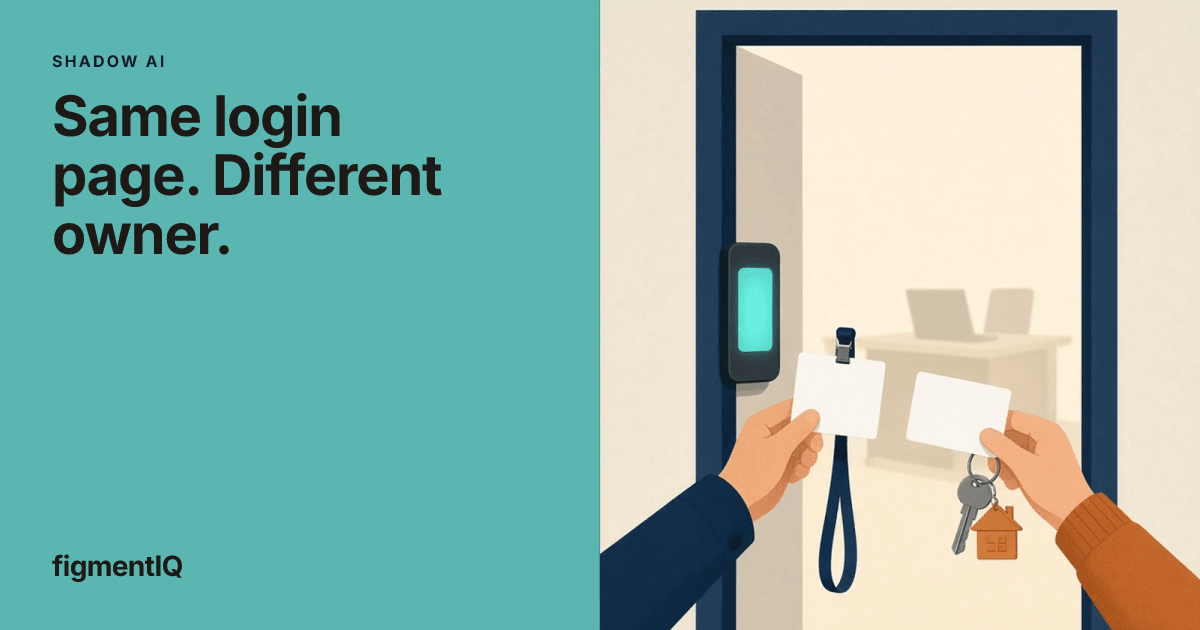
Here’s the part that surprises leaders. When IT allows or blocks an AI tool, it usually does it by website: allow claude.ai, block that other one. But a company Claude account and a personal Claude account live at the same address. So do a ChatGPT Enterprise workspace and a free ChatGPT login. A domain rule sees the destination, not the account.
That means a company can do everything “right” (approve a tool, buy seats, announce it at all-hands) and still have a big share of its AI work happening in accounts it doesn’t own. The approved tool and the personal account look identical to the network. They only look different when someone leaves.
The vendors built a fix. Read the fine print.
To their credit, both major vendors saw this coming.
Anthropic’s Tenant Restrictions let your network proxy add a header to Claude traffic listing your approved organization IDs. Anthropic then blocks any organization not on the list, which in practice means personal accounts on the corporate network. It covers the web app, the desktop app, API keys and OAuth tokens.
OpenAI’s version is Workspace Blocking for ChatGPT Enterprise. Your proxy adds a header with the approved workspace IDs, and ChatGPT filters out every other workspace, “including personal workspaces.” OpenAI also tells you to block logged-out ChatGPT separately, since that needs no account at all.
Both are good controls. Here’s what comes with them:
| Control | What it needs | What it doesn’t reach |
|---|---|---|
| Claude Tenant Restrictions | An Enterprise plan (or Console organization), a proxy that can inject headers, TLS inspection | Traffic that never touches your proxy |
| ChatGPT Workspace Blocking | ChatGPT Enterprise, a SASE or proxy partner, TLS inspection, certificate pinning exceptions pushed by MDM for the desktop and mobile apps | Unmanaged devices and networks you don’t control |
Look at that last column. Both controls work on traffic that passes through your network. They do nothing for the recruiter’s personal phone on her home Wi-Fi. The header is a lock on the office door. It’s a good lock. Plenty of work happens outside the office.
I’m not knocking the controls. If you’re on an enterprise plan, turn them on. Just don’t confuse “blocked on our network” with “the work lives in our account.”
Why I care about this one
I ran Puryear IT from 2002 until I sold it in 2024, and for most of that time offboarding meant a list of accounts the company owned: disable them, move the files, done. That list was the job. Personal AI accounts break the assumption underneath it, because the account isn’t on the list and was never the company’s to disable.
When someone builds real work in a personal account, they’ve built a little micro department the company can’t see, can’t back up and can’t keep. Turning off their company login doesn’t touch it. That’s the gap figmentIQ exists to close: AI work that depends on one person, in a place only that person can reach.
What HR and ops can do this quarter
None of this needs a new platform. It needs a few deliberate decisions, mostly outside IT.
- Make the company account the easy choice. People bring their own AI because it’s faster than waiting. If the approved tool is harder to get, slower, or missing the features they use, the personal account wins. Blocks work better after there’s a good yes.
- Ask which account, not which tool. In your AI acceptable use policy, say plainly that company work runs on company accounts. “Which tools are allowed” is half the rule. “Whose account is it on” is the half that survives turnover.
- Run a no-blame account check. Ask each team to list the AI tools they use for work and mark each one company or personal. Amnesty matters here: the 52% who don’t admit their AI use won’t start because of a policy memo. Our plain-English guide to shadow AI covers how to ask without making it an interrogation.
- Move the important stuff while the builder is still here. For anything another person depends on, rebuild or move it to a company account with the builder’s help. After their last day, there’s nothing to move.
- Add one line to offboarding. Our employee offboarding checklist already asks what someone built with AI. Add: “Is any of it on a personal account?” Ask at resignation, not on the last day.
Here’s an illustrative example of what the account check can surface. The rows are made up, not a real company:
| Team | Tool | Account | Who depends on it | Action |
|---|---|---|---|---|
| Recruiting | Claude | Personal (paid) | Whole recruiting team uses the outreach templates | Move to company workspace this month |
| Finance | ChatGPT | Company workspace | Month-end close | Name a backup owner |
| Ops | ChatGPT | Free, logged out | Only the user | Contain: no sensitive data |
The first row is the one to worry about. It’s also the one that never shows up in a firewall log as a problem, because it isn’t one, to the firewall.
Quick answers
Should we just block personal AI accounts? If you’re on an enterprise plan with Claude or ChatGPT, turning on their tenant controls is reasonable. Just know they cover your network and managed devices, not personal phones at home. Pair the block with a company account people actually want to use, or the work moves somewhere you can see even less.
Isn’t this an IT problem? IT owns the controls. But only HR and managers know who is leaving, who built what, and who depends on it. The account check and the offboarding question are HR and ops jobs.
What happens to work in a personal account when someone leaves? It stays with them. The company has no admin console for a personal account, so there’s nothing to recover or hand off. That’s why the move has to happen while they’re still employed.
The question to ask this week
Ask one team lead: “Of the AI work your team does, how much is on an account we own?” If the answer is “I don’t know,” that’s your starting point, and Shadow AI Discovery is how we help find it.
That question is why we started figmentIQ. If you’d like a second set of eyes, I’m happy to help. Our AI Continuity Assessment covers one department over two weeks, and there’s no charge if we find nothing at risk.