
Your institutional knowledge now lives in AI chat histories

Picture a Thursday afternoon. Your payroll manager is two weeks into her notice, and she’s doing everything right. She updates the procedures binder. She walks her backup through the quarter-end close. She even records a screen share.
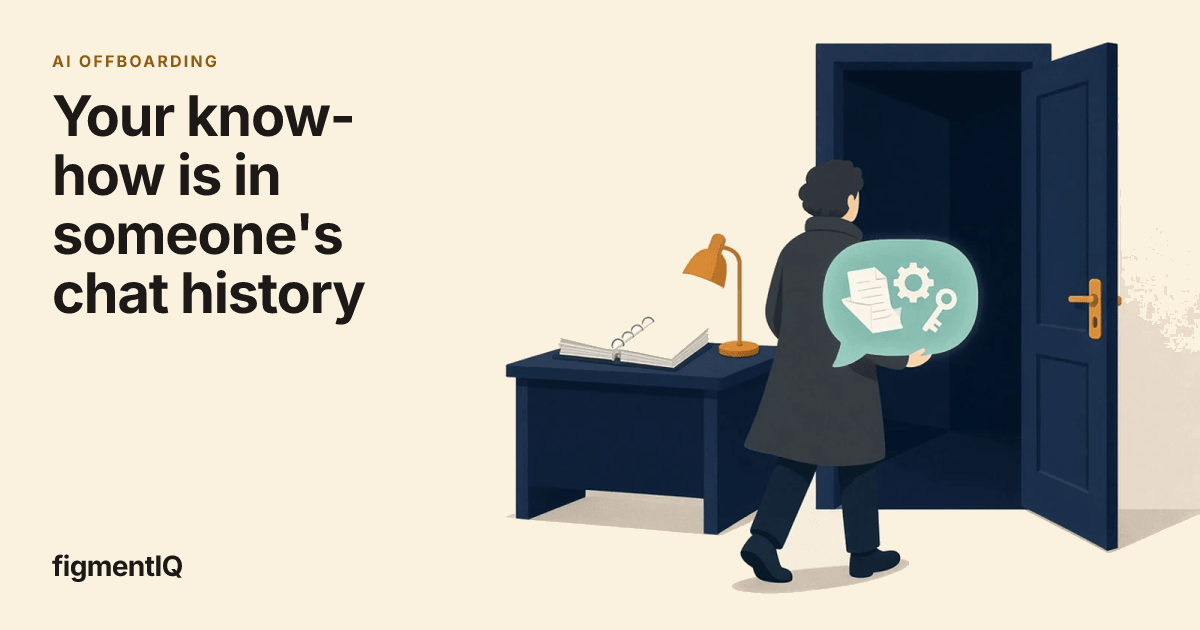
Three weeks after she leaves, a state tax notice arrives in a format nobody recognizes. Her backup opens the binder. Nothing. What he doesn’t know is that for the last year, she handled every one of these by pasting the notice into an AI project she’d built, with two years of past notices, her own notes on which agency wants what, and a prompt she’d tuned until the replies stopped bouncing. That project was the real procedures binder. It was private, and it went with her.
That’s a hypothetical. The pattern isn’t.
The short version:
- Institutional knowledge is the know-how a company runs on that isn’t written in any official place. More and more of it now lives inside AI tools: prompts, projects, reference files, custom assistants and chat histories.
- When an employee leaves, most of that goes with them. Even on company AI plans, other people often can’t open a departed employee’s chats or private projects.
- The fix is cheap if you do it before the last day: ask what AI work they rely on, move it to a shared, company-owned home, and give it a named owner.
Prefer to watch?
4-minute video
Plays from YouTube. Playing sets YouTube cookies.
What is institutional knowledge, and where does it live now?
Institutional knowledge is everything a company knows that isn’t in the handbook: which customer needs the invoice split, why the Tuesday report excludes one region, who to call at the bank when the wire stalls. It used to live in people’s heads, inboxes and the occasional heroic spreadsheet.
Now a lot of it lives in AI tools, because that’s where people do the thinking. Microsoft’s 2024 Work Trend Index found that 75% of knowledge workers use generative AI at work, and that 78% of AI users bring their own AI tools to work. When someone spends a year teaching an AI project how your business works, that project becomes a record of how your business works. It just isn’t filed anywhere you can find it.
And people leave. The Bureau of Labor Statistics JOLTS release for September 2026 counted 3.4 million quits in the US in a single month. Every one of those is an offboarding, and I’d guess very few of them included the question “what have you taught the AI?”
What actually walks out the door
Here’s the AI layer of institutional knowledge, and what tends to happen to each piece when its owner leaves.
| What they built | Where it usually lives | What happens when they leave |
|---|---|---|
| Tuned prompts and instructions | A chat, a note, or their memory | Gone unless someone copied them |
| AI projects with reference files | Their AI account, often set to private | Others often can’t open private projects |
| Custom assistants | Their account or a company workspace | May be reassigned; their chats aren’t |
| Chat history: the reasoning, the edge cases | Their account | Usually unreadable by anyone else |
| Personal-account tools used for work | Their personal subscription | The company never had access |
The details depend on the vendor and the plan, so check yours. Two examples from the vendors’ own documentation:
- ChatGPT business workspaces. OpenAI’s help article on data retention when a member is removed from a workspace says a removed member’s projects and GPTs are reassigned to a workspace owner. It also says conversations and files created by the removed member are not transferred and are not visible to the workspace owner.
- Claude Team and Enterprise. Anthropic’s article on what happens when a user is removed from an organization says other members can’t access a removed user’s private projects or chats, and shared chat links return “Conversation not found.” The Primary Owner’s organization data export still includes the removed user’s data.
Notice what that means. Even when the company pays for the plan, the shell of the work may stay while the history behind it disappears from view. The assistant survives. The two years of “here’s why we do it this way” doesn’t, at least not anywhere a colleague can click. And if the work was on a personal account, there’s nothing for the company to export at all.
“We’ll just ask IT to pull it” is a lovely plan right up until IT explains whose account it was.
Why I care about this one
I ran an MSP, Puryear IT, from 2002 until I sold it in 2024. Here’s a pattern worth watching for: a company documents its processes carefully, then quietly loses that documentation on the way to AI, because the real process moved into somebody’s prompt and nobody updated the binder. Nobody decided to stop writing things down. The writing just moved somewhere nobody else could read it.
That’s the part I find genuinely fixable. The knowledge isn’t lost yet. It’s sitting in an account, waiting for someone to ask about it before the account closes.
How to keep it before the last day
You don’t need new software for this. You need three habits, and HR is in the best position to own them because HR knows who is leaving and when.
1. Ask the AI question at resignation, not at exit. By the exit interview it’s too late to move anything. When notice is given, ask the employee and their manager:
- What AI tools do you use for this job, on any account, company or personal?
- Which projects, assistants or saved prompts would your replacement need?
- What do you paste into AI regularly, and what do you get back?
- Is anything set to run on its own using your login?
Treat the answers as a normal handoff item, not a confession. People who built useful things should feel thanked, not caught.
2. Move it somewhere the company owns. Shared projects on a company workspace. Prompts and reference files in a shared folder. Anything on a personal account rebuilt on a company one, with the employee’s help, while they’re still here. If your plan has an organization export, know who can run it and do it before the account is removed.
3. Give each item an owner and a one-page runbook. A shared project with no owner is just a nicer-looking orphan. Write down what it does, what it reads, and how to tell when it’s wrong. Our AI runbook template covers what goes on that page, and our employee offboarding checklist shows where these steps fit in the rest of the exit process.
Then test it. Have the backup handle one real task without calling the departed employee. If they get stuck, that’s not a failure. That’s the gap you just found while it was still cheap.
Quick answers
Is institutional knowledge the same as tribal knowledge? They overlap. Tribal knowledge usually means unwritten know-how shared within a team. Institutional knowledge is the broader set of what the whole company knows and depends on. AI tools now hold pieces of both.
Can’t we just keep the departed employee’s account open? Sometimes, for a short window, but it’s a stopgap. It keeps access tied to someone who no longer works for you and usually means a paid seat for a ghost. Moving the work to a shared, owned home is the durable fix.
What about work on personal AI accounts? That’s the hardest case, because the company can’t see or export it. The only reliable route is asking before the person leaves and rebuilding the work on a company account with their help. Our Shadow AI Discovery page covers how we approach it.
The question to ask on day one of notice
Every resignation now comes with a hidden question: what has this person taught the AI that nobody else knows?
That question is why we started figmentIQ. If you’d like a second set of eyes, I’m happy to help. Our AI Continuity Assessment takes one department and two weeks. We find the AI work that team relies on, including tools on personal accounts, score how exposed it is, and write Continuity Runbooks for the three riskiest items. If we find nothing at risk, you don’t pay. For how this fits your exit process, see our HR offboarding page.